
Vehicle & Auto
DIMO Macaron
$118.80
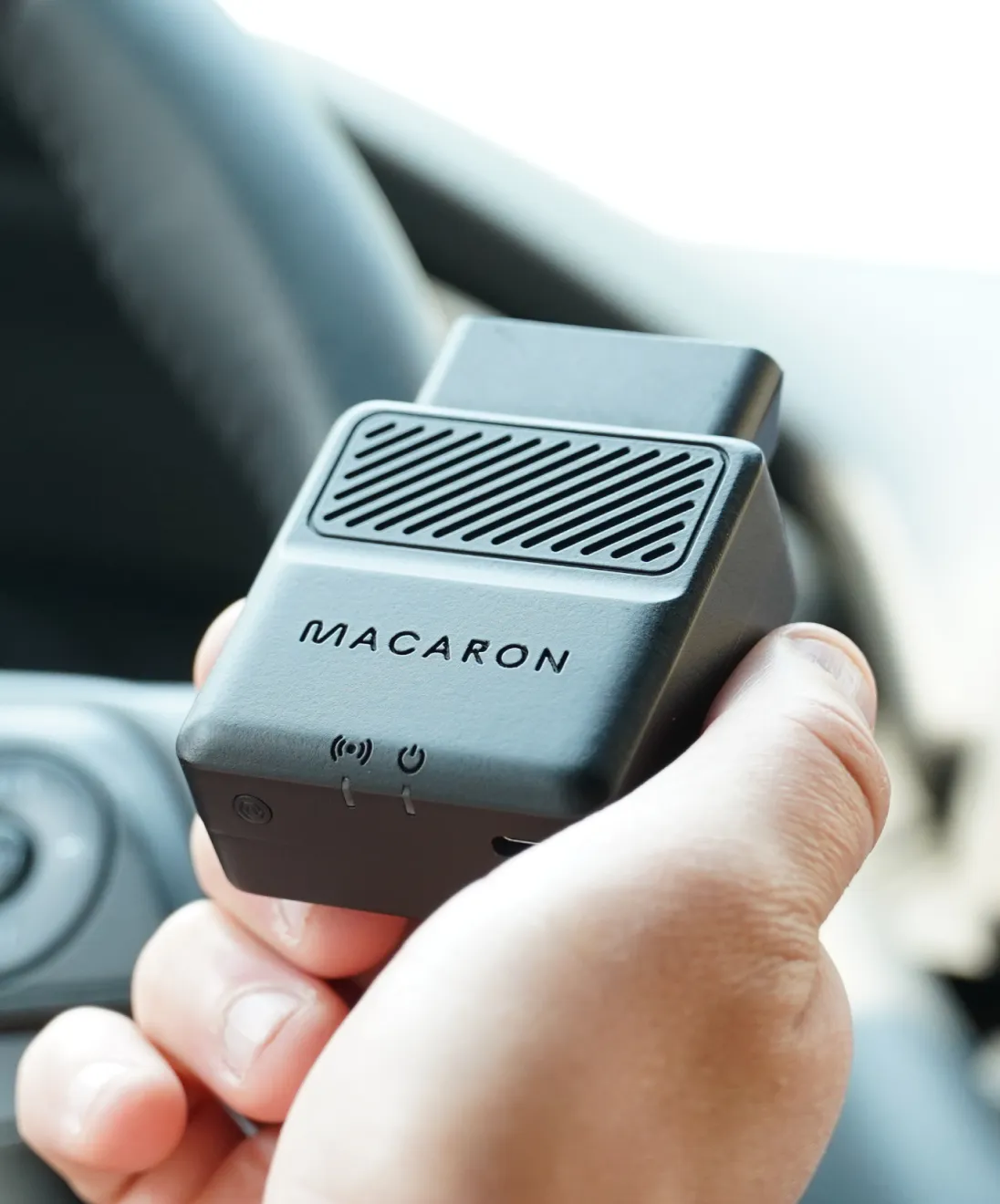
The DIMO Macaron plugs into your car's OBD port. It connects cars from 2008 and newer, except Tesla, to the DIMO app over Bluetooth and the Helium IoT network. It gives basic access to vehicle analytics, with 3 years of connectivity included.
Buy Now opens the secure checkout preview. No payment is taken in demo.
Added — view cart
What it does
The Macaron is a compact plug-in device for a car's OBD-II diagnostic port. Once plugged in, it reads vehicle data through that port, including diagnostic trouble codes, trip and location-related data, GPS positioning and maintenance-related information, and makes basic vehicle analytics available in its companion mobile app. It is the entry-level, lowest-cost hardware option in its range, intended for drivers who want a simple view of their car's health and use without a cellular subscription device. It connects to the phone app over Bluetooth for setup and nearby communication, and sends its longer-range data over a public LoRa IoT network, which is why coverage where you drive matters. Three status LEDs on the device show power, connection and Bluetooth state. It draws its power from the vehicle itself, so there is no battery to charge and nothing to remove between drives.
How it's used
- Check that your vehicle is from 2008 or newer. One maker's fully electric models are excluded, as they connect differently; check compatibility for your exact model before ordering.
- Check public LoRa IoT network coverage for the areas where you normally drive and park, as coverage can be limited outside metro areas.
- Download its companion mobile app and create an account. The app requires Android 9.0 or iOS 16 or above.
- Locate the OBD-II port, usually under the dashboard on the driver's side, and plug the Macaron in directly. Do not use an extension cable.
- Turn the car on and pair the device with your vehicle in the app over Bluetooth, following the in-app flow.
- Allow time for the device to sync and configure on its first connection, watching the power, connection and Bluetooth LEDs.
- Confirm in the app that the device shows as connected to your vehicle.
Everyday use: Leave the device plugged in. It powers from the vehicle when the car is in use, records trip and diagnostic data as you drive, and passes data onward when the phone app connects over Bluetooth or when the car is within LoRa network coverage. In the app you can review basic vehicle analytics, diagnostic codes and trip information for the connected vehicle. Because long-range reporting depends on LoRa coverage rather than cellular, trips outside covered metro areas may sync later or less completely than trips inside covered areas. If you change vehicles, unplug the device and repeat the pairing flow for the new vehicle, provided it is also compatible.
Key specs
- Compatibility: vehicles from 2008 and newer, with the exclusion noted above
- Connection to vehicle: OBD-II port, CAN bus via OBD-II; plug in directly, no extension cable
- Processor: nRF52840, 32-bit, 64 MHz Arm Cortex-M4F CPU
- Memory: 128 MB flash and 256 kB RAM on chip
- Connectivity: SX1262 LoRa transceiver on a public LoRa IoT network; Bluetooth 5.0 / Bluetooth Low Energy; USB 2.0 connector
- Antennas: external U.FL antenna (902–928 MHz for US, 868 MHz for Europe); internal antenna optional
- Sensors: 3-axis accelerometer and gyroscope
- Positioning: GPS location data reported through the vehicle connection and network
- Display: 3 LEDs for power, connection and Bluetooth
- Power: powered from the vehicle; no separate battery (battery: N/A); input voltage 5–50 V; internal voltage 3.3 V; power-on current 200 mA; low-power mode 2 µA
- Materials and construction: ABS, clamshell injection-moulded device
- Connectivity included: 3 years of network connectivity included
- Companion app requirement: Android 9.0 or iOS 16 and above
Good to know
No formal in-the-box contents list is published for this device. Compatibility is not universal: the vehicle must be from 2008 or newer, one maker's fully electric models are excluded, and some specific models may be untested or unsupported, so verify your exact vehicle before ordering. LoRa IoT coverage is the main practical limit: it is concentrated in metro areas and can be limited or absent elsewhere, which affects how promptly trip data is reported. The device must be plugged directly into the OBD-II port without an extension cable. It has no battery and only works while connected to the vehicle. The companion app needs a phone running Android 9.0 or iOS 16 or above and a Bluetooth connection for setup.