
Wallets & Security
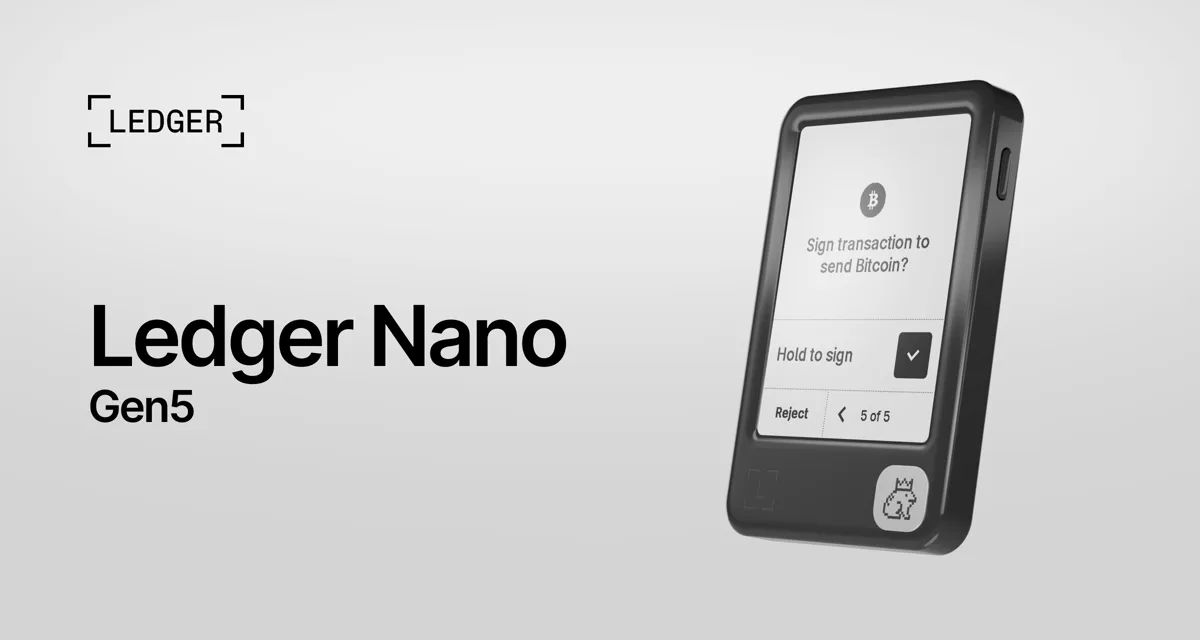
Ledger Nano Gen5
$214.80
Ledger's touchscreen hardware wallet: a larger E Ink screen you tap to check each transaction before you sign it. It keeps your private keys offline, connects by USB-C, Bluetooth or NFC, and includes a Ledger Recovery Key. The clearest, easiest Ledger for daily use.
Buy Now opens the secure checkout preview. No payment is taken in demo.
Added — view cart
What it does
The newest model in this line, launched in 2025, and the most accessible model with a secure touchscreen. Private keys stay offline on a certified secure chip, and the large touchscreen is driven securely so what you review on screen is what you sign. It brings the touchscreen experience — clearer signing, easier navigation — to the familiar compact Nano form.
Feature coverage:
- A 2.8-inch secure E Ink touchscreen for reviewing and confirming transactions by touch instead of buttons.
- Clear Signing, so supported transactions are presented in plain, readable language, plus Transaction Check, which flags common scam patterns.
- Full companion-app integration for monitoring markets, comparing service providers across chains, and sending, receiving, buying, selling, swapping and staking where those services are offered by third parties.
- A PIN-protected backup key card is included in the box, giving an optional second restore method alongside the written recovery phrase.
- Can also act as a passkey and two-factor hardware login key through a security-key feature in its companion app.
- Customisable lock screens and optional interchangeable decorative badges (sold separately) for personalisation.
- Supports 500+ coins in the companion app and thousands more coins, tokens and NFTs via compatible third-party wallets.
How it's used
- Unbox the device and install its companion app on your phone or computer.
- Connect by USB-C, Bluetooth or NFC, choose create a new wallet, and follow the touchscreen setup.
- Set a PIN — three wrong PIN entries in a row reset the device to factory settings.
- Write down the recovery phrase exactly as shown, on paper or a metal backup, and store it offline. Set up the included backup key card if you want that extra restore option, and keep it somewhere separate and private.
- Add accounts in the companion app for the assets you want to manage.
Everyday use: to receive, generate an address in the app and check it on the touchscreen. To send or interact with an app or service, review the full transaction details on the touchscreen and confirm there. Recharge by USB-C as needed.
Key specs
- Connectivity: USB-C, Bluetooth and NFC
- Screen: 2.8-inch monochrome E Ink touchscreen, 300 x 400 px, scratch-resistant glass with anti-glare coating
- Secure element: certified CC EAL6+, running the maker's own secure operating system
- Battery: rechargeable, up to 10 hours of normal use or up to 150 transactions per charge; charged by USB-C, no wireless charging
- Body: plastic frame and plastic back
- Size: 79.4 x 53.3 x 8.6 mm
- Weight: 46 g
- Supported systems: Windows 10+, macOS 13+, Ubuntu LTS 20.04+ on desktop; Android 10+ and iOS 15+ on mobile
- Asset support: 500+ coins in the companion app; thousands via third-party wallets
- Included backup: PIN-protected backup key card and recovery sheets included
Good to know
The backup key card is optional, PIN-protected and private — treat it like the written phrase and never share either. Losing the device is recoverable with the phrase or the backup key card; losing all backups is not. Screen resolution and accessories sit below the maker's larger touchscreen models — there is no wireless charging and no magnetic case system on this model. Decorative badges are sold separately.