
Hotspots & Networking
MNTD. Fi Pro
$682.80
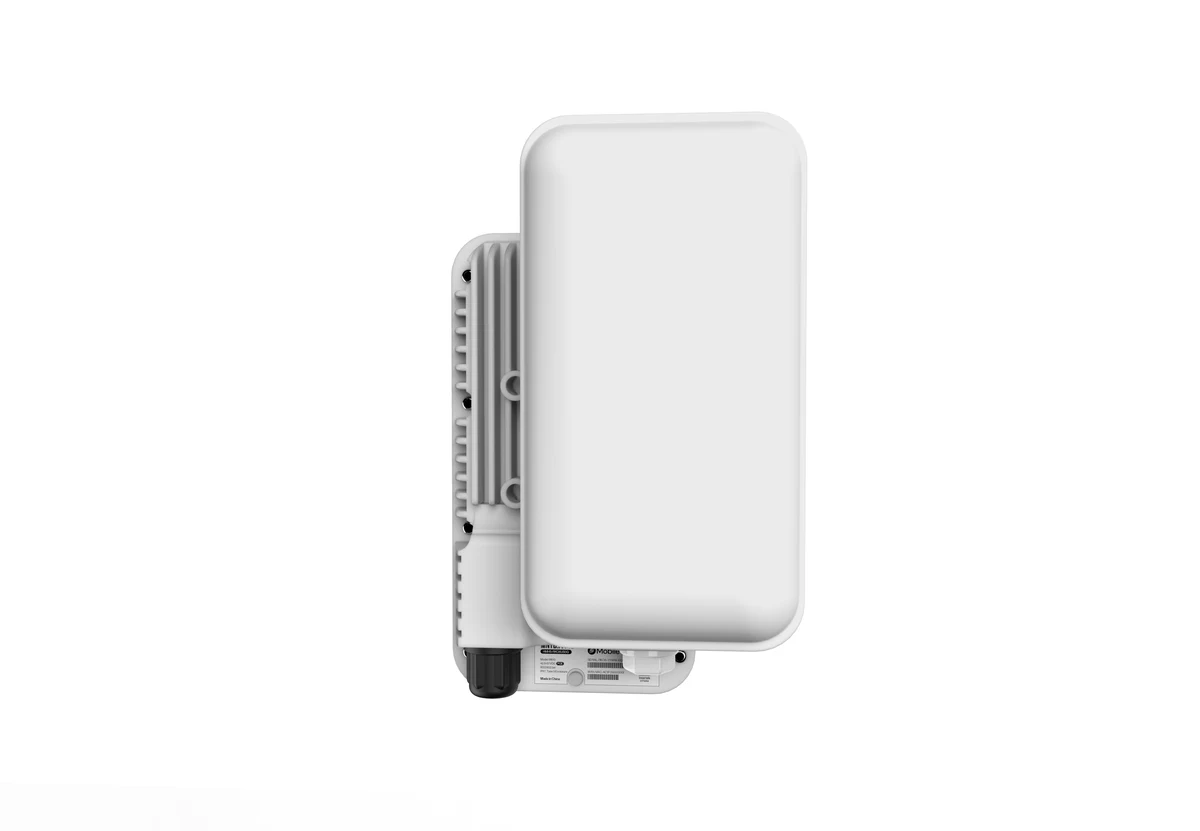
The MNTD. Fi Pro is a weather-resistant outdoor Wi-Fi hotspot for the Helium Mobile network in the US. Install it outside, on a roof or near a window, to extend mobile coverage for nearby phones. You manage it in the Helium Mobile Builder app.
Buy Now opens the secure checkout preview. No payment is taken in demo.
Added — view cart
What it does
An outdoor Wi-Fi access point that provides local mobile coverage for subscribers of the mobile network it is built for, in outdoor locations. Installed outside a home or commercial site overlooking a public area, it broadcasts the network's Wi-Fi service so subscribers in range can connect through it, using your wired internet connection as backhaul. It is a dual-band, 2×2 MU-MIMO Wi-Fi 6 (802.11ax) access point designed for high-density outdoor deployments — residential streets, parks, and commercial areas. Coverage is directional: it radiates outward from the unit's front face through its two integrated dual-band directional antennas, rather than equally in all directions. Bluetooth 5.0 and a built-in GPS module support straightforward deployment and positioning during setup, and a purpose-built companion app is used for onboarding and for monitoring the hotspot's status afterwards. A single Ethernet cable carries both power and data (Power over Ethernet), and the all-in-one, IP67-rated weatherproof design is intended for quick, simple outdoor deployment in a range of weather conditions.
How it's used
- Unbox the contents: the outdoor hotspot, an IEEE 802.3at PoE injector with a 1.5 m Ethernet cable, and mounting brackets and screws.
- Photograph or keep the box: its QR code carries the network credentials needed later in setup (the same code is on the back of the unit, where it may be hard to reach after mounting).
- Gather what the installation needs: a smartphone running iOS 14.0 or higher, or Android 11 or higher; a Cat5e (or higher) Ethernet cable to connect the injector to your router; a Cat5e (or higher) outdoor-rated Ethernet cable, up to 300 ft, to connect the injector to the hotspot; and a mounting pole if your location needs one.
- Connect the outdoor Ethernet cable between the hotspot and the PoE port of the injector, connect a standard Ethernet cable between your router's LAN port and the injector's LAN port, and plug the injector's power adapter into a wall outlet. Power reaches the hotspot through the Ethernet cable. A solid blue LED on the unit indicates it is connected correctly.
- Allow time for an automatic firmware update if one is pending: the LED changes from solid blue to blinking blue during the update, turns off for an automatic reboot, and returns to solid blue when the unit is ready. Do not proceed until the LED is solid blue.
- Mount the hotspot on a pole or wall outdoors using the included mount, as high as practical, with its front face aimed at the area and people you want to cover; tilt it downward the higher it is placed. Signals can pass through glass, but trees, buildings, and other solid objects block or reflect them and reduce coverage.
- Install its companion app on your phone, create an account or sign in, and enable Wi-Fi on the phone.
- In the app, scan the QR code from the box or the back of the unit (or enter the network credential from the QR sticker manually), keeping the phone in direct line of sight of the hotspot if it has trouble connecting.
- Wait for the GPS lock step to complete — it can take up to 20 minutes and needs the hotspot to have an unobstructed view of the sky.
- Confirm, in the app, the installation location shown, the installation height (measured above the surrounding ground, not above sea level), and the direction the front of the hotspot is pointing — the location details must be accurate.
- Review the details and complete registration in the app; registration normally takes a few moments but can take up to 10 minutes.
- Allow a further 3–10 minutes after registration for the hotspot to begin broadcasting the network's Wi-Fi service, and check in the app that the hotspot appears in your device list (this can also take up to 10 minutes).
Everyday use: once registered, the hotspot is left mounted, powered, and connected, and it provides coverage continuously without routine input. Its status can be checked in its companion app. Subscribers with the network's enhanced coverage feature activated on their phones connect to it automatically when in range. The wired backhaul connection should be gigabit-rated between the router and the hotspot: the setup guidance notes that backhaul speed is measured, that a 100 Mbps-rated link will measure slightly under 100 Mbps, and that an internet connection above 100 Mbps with gigabit-rated local cabling gives the best measured performance.
Key specs
- Type: outdoor Wi-Fi access point / coverage hotspot for the mobile network it is built for
- Wi-Fi standard: dual-band 802.11ax (Wi-Fi 6), 2×2 MU-MIMO
- 2.4 GHz band: 802.11b/g/n/ac/ax, 2×2, 40 MHz, up to 574 Mbps link rate; supported range 2.4000–2.4835 GHz
- 5 GHz band: 802.11a/n/ac/ax, 2×2, 80 MHz, up to 1.2 Gbps link rate; supported ranges 5.150–5.250 GHz, 5.250–5.350 GHz, 5.470–5.725 GHz, 5.725–5.850 GHz
- Combined maximum link rate: up to 1,774 Mbps across both bands
- Data rates: 802.11b up to 11 Mbps; 802.11g/a up to 54 Mbps; 802.11n MCS0–MCS7; 802.11ac MCS0–MCS9; 802.11ax MCS0–MCS11
- Maximum transmit power: up to 24 dBm on 2.4 GHz; up to 24 dBm on 5 GHz
- Maximum EIRP: 32 dBm on 2.4 GHz; 34 dBm on 5 GHz
- Receive sensitivity (selected): -90 dBm at the lowest rates on both bands, down to -54 dBm at the highest 802.11ax rate (HE80, MCS11)
- Antennas: 2 × integrated dual-band directional antennas, 120° beam; gain 5 dBi at 2.4 GHz, 7 dBi at 5 GHz
- Antenna pattern: horizontal/vertical polarization; horizontal beam width 120°; vertical beam width 60°; efficiency over 70% (2.4 GHz) and over 75% (5 GHz)
- Bluetooth: BLE 5.0 supported, with integrated Bluetooth antenna
- Positioning: built-in GPS module
- Interface: 1 × 2.5 GbE WAN port with 802.3af/at PoE (powered device); 1 × reset button
- Input: 57 V DC via 802.3af/at PoE
- Power consumption: under 15 W
- Indicator: 1 × RGB LED (software-defined; solid blue indicates ready during setup)
- Size: 260 × 140 × 71 mm, without bracket
- Weight: 1,500 g, without bracket
- Installation: pole and wall mounting
- Operating temperature: -40 °C to +65 °C
- Storage temperature: -40 °C to +85 °C
- Operating humidity: 5%–95% (non-condensing)
- Enclosure rating: IP67 (dustproof and waterproof)
- Compliance listed: NRTL Listed 62368-1 (US & CA); CB with IEC/EN 62368-1; IEC 60950-22; FCC Part 15 Class B, Part 15 Subpart C 15.247, and Part 15 Subpart E 15.407 (US); EN 55032, EN 55035, and related EN 61000 immunity standards
- In the box: outdoor hotspot ×1, IEEE 802.3at PoE injector with 1.5 m Ethernet cable ×1, mounting brackets and screws
Good to know
This is a directional hotspot: coverage projects from its front face, so aiming and height decide the useful coverage area far more than the raw radio figures. It is outdoor-only equipment (IP67) and needs a wired internet connection — there is no Wi-Fi backhaul option; the Ethernet run from the injector to the hotspot can be up to 300 ft and should use outdoor-rated Cat5e or better cable. A gigabit-capable PoE injector and gigabit-rated cabling are recommended so backhaul speed measures above 100 Mbps; a connection that measures at 100 Mbps through 100 Mbps-rated hardware will read slightly below that mark. Setup requires a phone on iOS 14.0+ or Android 11+, and the GPS step requires a clear view of the sky and can take up to 20 minutes. The installation location entered during setup must be accurate — an incorrect location can lead to the hotspot being removed from the network. Only subscribers of the mobile network it serves can connect to the coverage it provides.