
Wallets & Security
Trezor Safe 3
$70.80
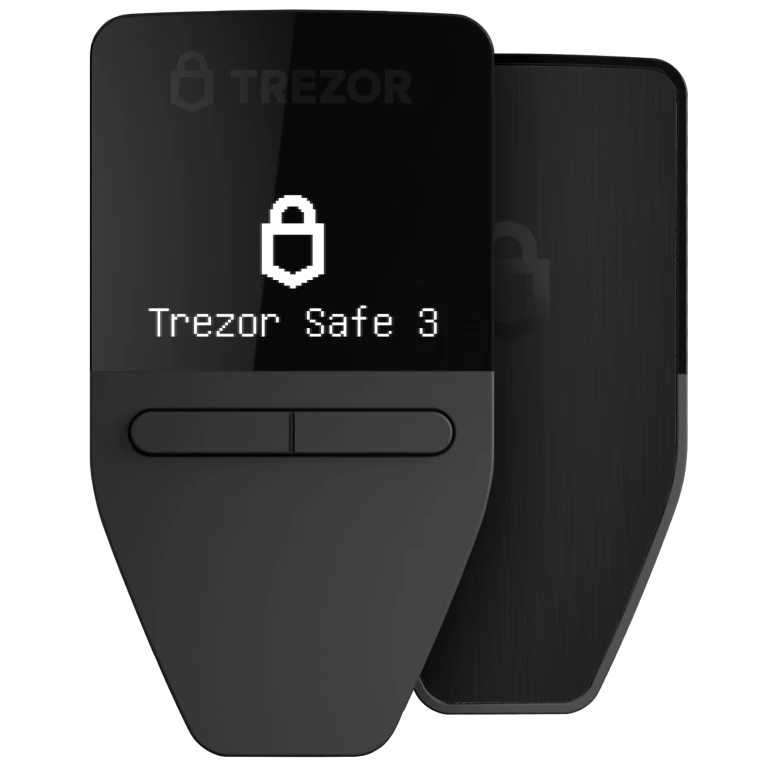
The Trezor Safe 3 is a small hardware wallet that keeps your crypto keys offline and asks you to confirm each transaction. It has a black-and-white screen and two buttons, and works with the Trezor Suite app. The price excludes tax and customs.
Buy Now opens the secure checkout preview. No payment is taken in demo.
Added — view cart
What it does
An entry-level hardware wallet built on an open-source design, so the way it works can be inspected publicly. Private keys stay on the device, transactions are confirmed physically on the device, and a certified secure element adds a separate layer of protection for the device itself. PIN protection guards everyday access, and an optional passphrase can create an additional hidden wallet layer.
Feature coverage:
- On-device confirmation for every transaction, checked on its monochrome screen with two-button control.
- Secure element protection alongside the open-source firmware and hardware design.
- PIN and optional passphrase protection.
- A modern wallet backup for recovery, designed to be clearer and more flexible than a single written word list.
- Tamper-evident casing and packaging and device security seals, so interference is easier to spot before first use.
- Manages thousands of coins and tokens through its companion app, including coin management features on desktop and mobile.
- A Bitcoin-only firmware edition exists for buyers who want a device dedicated to Bitcoin; this listing is the universal model.
How it's used
- Unbox the device and check the packaging and device security seals before use.
- Install its companion app on your computer or phone from a trusted source.
- Connect the device with the included USB-C cable and follow the setup — devices in this line are set up and have their firmware installed through the companion app.
- Create a new wallet and set a PIN. Add a passphrase only if you fully understand that a forgotten passphrase means that hidden wallet cannot be recovered.
- Write down the wallet backup exactly as shown, on paper or a metal backup, and store it offline.
Everyday use: open the companion app with the device connected by USB-C. To receive, generate an address in the app and verify it on the device screen. To send, start in the app, then read the amount and address on the device screen and confirm with the physical buttons — the physical press is what approves the transaction.
Key specs
- Connectivity: USB-C (USB-C to USB-C cable included in the box)
- Screen: 0.96-inch monochrome OLED display, 128 x 64 px
- Controls: two-button pad, physical confirmation required
- Secure element: certified CC EAL6+
- Processor: 180 MHz ARM Cortex-M4
- Body: durable plastic with tamper-evident casing and anodised aluminium backplate
- Size: 59 x 32 x 7.4 mm
- Weight: 14 g
- Battery: none — powered over USB-C
- Operating temperature: -20°C to +60°C
- Certifications: CE and RoHS; X-rays do not harm the device
- Asset support: thousands of coins and tokens via its companion app
Good to know
This is a wired, USB-powered model with no Bluetooth and no battery, so it must be plugged in to use. Phone use is more limited than desktop use on some platforms — check the companion app's current support for your phone before relying on it as a phone-only setup. The passphrase is never stored anywhere for you: if you use one and forget it, that wallet layer is lost even if you still have the main backup. Keep the backup offline and separate from the device.