
Weather & Environment
WeatherXM H2 — Open Edition
$286.80
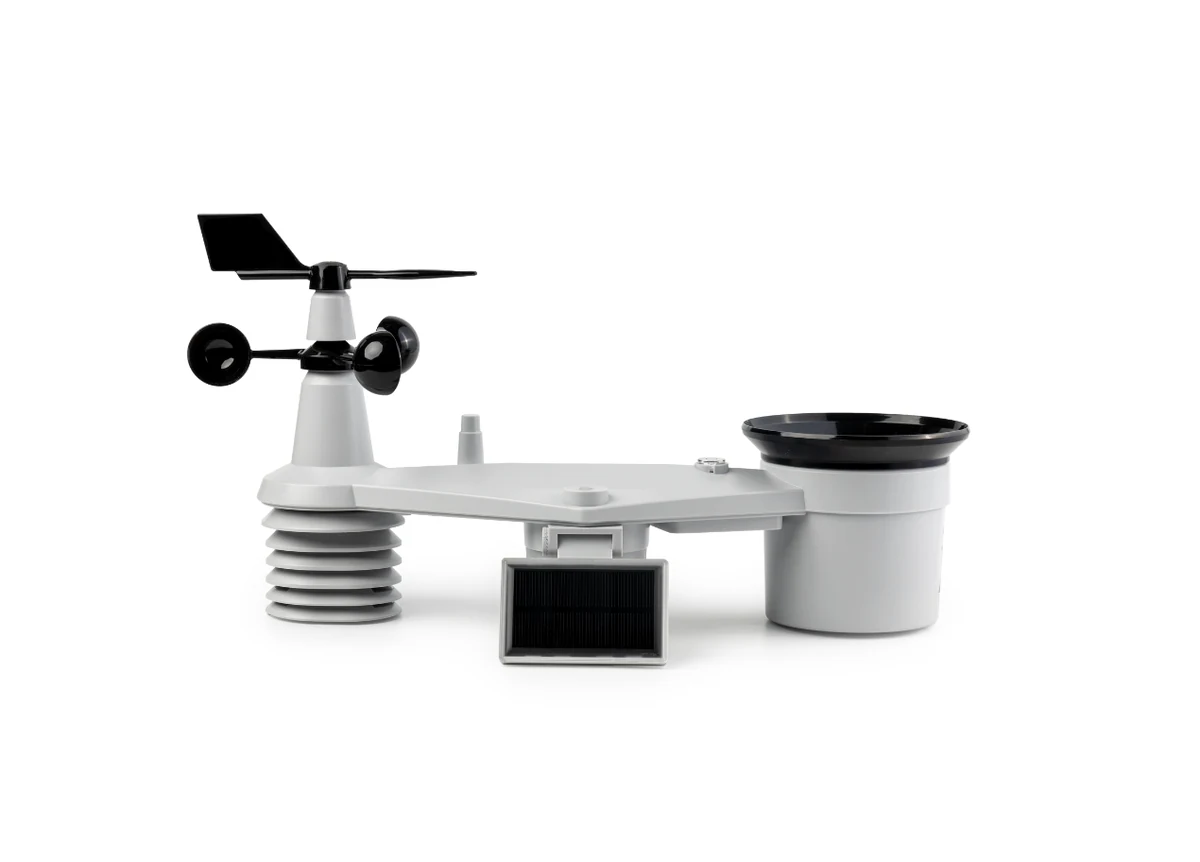
A solar-powered, 8-in-1 outdoor weather station that measures temperature, humidity, pressure, wind, rain, light, and UV, and sends readings over LoRaWAN to a nearby gateway. The Open Edition runs independently on your own LoRaWAN connection, such as TTN or ChirpStack, and receives no WeatherXM rewards.
Buy Now opens the secure checkout preview. No payment is taken in demo.
Added — view cart
What it does
This is the same H2 hardware as the Network Edition: a solar-powered, 8-in-1 outdoor station (WS2001) sending weather readings over LoRaWAN, with built-in GPS, a secure element that periodically signs its data frames, and Bluetooth configuration. The difference is the network it joins and who controls the data path. The Open Edition runs independently on compatible third-party or private LoRaWAN infrastructure, using credentials you choose and control. You register the station yourself on your chosen network server, decode its compact weather frame with the supplied decoder, and route the decoded data to your own application stack, for example by MQTT, webhooks or your own integrations, with no participation commitment to the network the hardware is built for. Its firmware frame carries more than a basic weather payload, including wind gust, a lifetime rain total and maximum rain rate alongside the standard measurements.
How it's used
- Check coverage on your chosen LoRaWAN network at the installation site, or plan to install your own compatible gateway with an internet connection in range of the site.
- Keep the station's identifier sticker safe: it shows the device identifier (DevEUI), key, Bluetooth ID and serial number. You register the station with its DevEUI; for your own network you choose your own join identifier and application key and write them to the station yourself.
- Unpack the station and external battery pack, assemble the station, and insert 6 AA 1.5 V non-rechargeable batteries into the external battery box, observing polarity, then fit the supplied dummy battery and battery door to the bottom of the station. Check that the red LED at the bottom lights when power is connected; it breathes slowly while the station tries to join a network and turns off once joined.
- Prepare a computer or Android phone with Bluetooth and a Chromium-based desktop-class browser (Chrome or Edge) for the web-based configuration and firmware tool. Browsers without Web Bluetooth, including Safari, Firefox and iPhone/iPad browsers, cannot run this step.
- Connect to the station over Bluetooth with the configuration tool within the first 5 minutes after the station starts (restart it with one short press of the bottom button if the pairing window has closed; do not hold the button for 10 seconds, as that is a factory reset), and let the tool update the station to the latest firmware if offered. Settings, keys and the rain counter are kept through an update.
- Register the station manually on your network server as an over-the-air activation (OTAA), Class A device, entering its DevEUI and your chosen join identifier and application key, and selecting the frequency plan for your region and gateway.
- In the configuration tool, enter exactly the same frequency region, join identifier and application key, choose an upload interval (5 minutes is the default; use 10 minutes or more if the station is far from the gateway), and apply the settings so the station switches to your network profile and restarts to join.
- Add the supplied payload decoder as the uplink formatter on your network server (the same decoder script works across the common server versions), then confirm uplinks are arriving on the data port used for weather frames and that decoded values look correct.
- Mount the station outdoors on a firmly secured pole at least 2 m high, aligned to north using the marker on top, levelled with its bubble level, with the solar panel tilt set for your latitude, and check the signal strength of a few uplinks from the final position.
Everyday use: Once joined, the station runs unattended outdoors on solar power with battery backup and sends a weather frame at your chosen upload interval to your own network server. You work with the data in your own systems: subscribe to the decoded data feed your server publishes, forward it by MQTT or webhooks, or pull it into home-automation, logging or analysis tools. The station's original network settings are retained on the device when you move it to your own network, so it can potentially be switched back later using the same configuration tool. Public shared networks apply fair-use airtime limits; a short frame every 5 minutes stays within the common daily airtime allowance at the fastest data rate, while slower data rates need longer intervals, so keep the interval at 5 minutes or more on shared public infrastructure.
Key specs
- Model: WS2001 standalone station (no separate gateway in the box)
- Measurements (8-in-1): temperature, relative humidity, barometric pressure, wind speed, wind direction (including gust information and direction spread on current firmware), rainfall (including lifetime accumulated total and maximum rain rate), light, UV index / solar radiation
- Temperature: -40 to +80 °C range; accuracy ±0.5 °C (0 to 80 °C), ±0.6 °C (-40 to 0 °C); resolution 0.1 °C
- Relative humidity: 1% to 99% range; accuracy ±3% (1–90% RH), ±4% (90–99% RH); resolution 1% RH
- Rain: 0 to 450 mm/h range; accuracy ±7%; resolution 0.254 mm/h
- Wind speed: 0 to 50 m/s range; accuracy ±0.5 m/s at 5 m/s; resolution 0.1 m/s
- Wind direction: 0 to 360 degrees; accuracy ±8 degrees; resolution 1 degree
- Light: 0 to 200,000 lux range; accuracy ±15%; resolution 1 lux
- Pressure: 540 to 1100 hPa range; accuracy ±5 hPa (700–1100 hPa), ±8 hPa (540–699 hPa); resolution 1 hPa
- Radio: LoRaWAN Specification 1.0.4, regional parameters RP002 1.0.3, Class A, over-the-air activation (OTAA); weather frames sent on FPort 99; frame size 20 bytes on current firmware (24 bytes on older firmware, 16 bytes on some earlier versions)
- Regional plans: EU868 / US915 / AU915 and other global plans supported by the hardware (wider plan list in the full datasheet, including AS923 variants, CN470, IN865, RU864 and KR920); sub-band selection applies on US915 / AU915
- Configuration: Bluetooth Low Energy, via a web-based flasher / configuration tool requiring Web Bluetooth (Chrome or Edge on a computer or Android phone)
- Location and security: built-in GPS; secure element signing of data frames; LoRaWAN payload encryption; cryptographic hardware encryption
- Power: integrated solar panel (supports the batteries; it does not recharge disposable cells) with 3 × AA, or 6 × AA with the external battery pack; 1.5 V non-rechargeable batteries only, not included
- Battery life: about 1 year on solar support alone; 1–2 years with the external battery pack, depending on conditions
- Sampling: about every 12 seconds; submission interval configurable (5 minutes default for own-network use)
- Operating conditions: -20 to +60 °C with alkaline batteries; -40 to +60 °C with lithium batteries; operating humidity 0–99% RH
- Weather resistance: IP66 rating listed for this station model in the full datasheet
- Firmware: upgradable over Bluetooth; decoder script supplied for common network servers
- In the box: weather station, external battery pack, metal zip ties
- Size and weight (boxed kit): 44 × 17 × 27 cm; 2 kg
Good to know
This edition needs technical setup: you must have an account on a compatible LoRaWAN network server (or run your own), register the device manually, write matching credentials to the station, and install the correct decoder. Do not use a decoder written for a different station model with similar hardware; it will not decode this station's frame correctly. You will also need 1.5 V non-rechargeable AA batteries (3, or 6 with the external pack; lithium recommended below 0 °C), a metal mounting pole (30–40 mm diameter, at least 2 m high) and securing tools; these are not included. There must be a compatible gateway in range of the site, either a public shared gateway or your own. Respect your network's fair-use airtime policy: very frequent uplinks or slow data rates can exceed daily limits, so 5-minute or longer intervals are the practical floor on shared public networks. Initial Bluetooth pairing is only possible in the first 5 minutes after the station starts. North alignment, levelling and panel tilt affect accuracy, and the internal antenna means final-position signal checks are worthwhile before you finish the install.